
BANQUET/EVENTS
A banquet is a lavish feast, typically featuring a variety of main courses and desserts. It is often held for a special occasion, such as a charitable gathering, birthday, ceremony, or celebration, and is often accompanied by speeches in honor of the guest of honor. This module allows you to book banquets for your clients, ensuring that there are no double bookings at the same time.
Reservation/Booking
To make a reservation or booking, follow these steps:
- Find a Venue: Research online, seek recommendations, or visit venues to find one that fits your needs.
- Check Availability: Contact the venue to inquire about availability for your preferred date and time, having backup options in case your first choice is unavailable.
- Confirm Details: Once a suitable slot is found, confirm the booking by discussing the terms, including pricing, services, and any special requests.
- Finalize the Booking: Complete any necessary paperwork and payments to secure your reservation.


Online Booking & Payment
Online booking systems streamline the process as follows:
- Real-time Availability: The system shows live availability, allowing users to select dates and times that work best for them.
- Booking Details: Users input required details such as contact information and preferences.
- Payment Processing: Once the booking is confirmed, users proceed to secure payment via credit/debit cards, PayPal, or other online payment options.
- Confirmation: After payment, users receive confirmation emails/messages with booking reference numbers and receipts for their records.
Menu and Package Management
Menu and package management serve different functions but are both crucial for maintaining an organized and efficient system.
Package Management: Involves handling software packages, ensuring they are installed, updated, and removed correctly. It deals with dependencies, version control, and ensures smooth system operation. Tools like apt (Linux), Homebrew (macOS), and Windows Package Manager are commonly used.
Menu Management: Focuses on customizing the user interface to make software access easier. It involves organizing menus and shortcuts in operating systems or applications to enhance user experience and accessibility.

Confirmation/Proforma Invoice
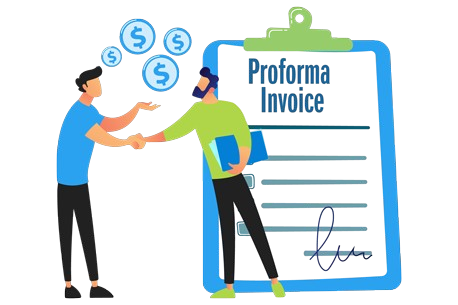
A confirmation invoice serves as a formal document issued by the seller after the buyer places an order and makes payment. It confirms the specifics of the transaction, including:
- Product/Service details
- Quantities and prices
- Payment received
- Agreed-upon terms
This invoice ensures that both parties are aligned on the transaction details. Payment is generally made based on the confirmation invoice, as it reflects the finalized agreement, serving as a record for both the seller and buyer.
Create/Edit Bill
To create or edit a bill, follow these steps:
- Gather necessary information:
- Recipient’s details (name, address, contact info)
- Billing date and due date
- Description of products or services being billed, including quantities and prices
- Choose a format:
- Use a pre-designed bill template or create a custom one.
- Many software applications offer customizable bill templates for convenience.
Ensure the bill is clear, concise, and includes all relevant details for accurate payment processing.


Multiple Settlement Options
Multiple Settlement Options include various methods to settle payments, each offering unique benefits:
- Cash:
- The most straightforward option, involving physical currency.
- Commonly used for small, in-person transactions.
- Checks:
- A written promise to pay a specified amount.
- Often used for larger transactions and can be mailed or presented in person.
Other options could include digital payments (like credit/debit cards, bank transfers, or mobile wallets) depending on the context.
Cancel/Complimentary Option
Cancel/Complimentary Option refers to the ability to terminate or modify a service or reservation under certain conditions:
- Cancellation:
- Used to stop a subscription, membership, contract, or service.
- Ceases any further charges or obligations, subject to the provider’s terms.
- Complimentary Option:
- Often associated with services that offer free cancellation within a specified period.
- For reservations (hotel, restaurant, event, etc.), cancellation may incur fees based on the policy, but in some cases, it’s free if done within a set timeframe.


Cashiering and Shift
Cashiering and Shift involves the process of managing transactions and ensuring smooth financial operations during a cashier’s shift:
- Cashiering:
- Cashiers use cash registers, POS systems, or electronic devices to process sales.
- They scan items, enter product codes, and calculate totals.
- Cashiers handle payments such as cash, credit cards, debit cards, mobile payments, or checks, ensuring accuracy and providing change when necessary.
- Shift Management:
- Cashiers work in shifts, ensuring continuous service during business hours.
- At the end of a shift, cashiers reconcile the cash drawer, verifying that the amount of money matches the recorded sales transactions.
Day Closing
Day Closing refers to the process of concluding activities for a specific day, either in financial markets or accounting:
- In Financial Markets:
- The end of the trading day, when markets stop trading.
- Final prices for stocks, commodities, and other instruments are recorded.
- The market closes for the day, and daily trading data is compiled.
- In Accounting:
- The process of closing the books at the end of an accounting period (e.g., daily, monthly, quarterly).
- It involves finalizing transactions, ensuring that financial records are complete and accurate, and preparing for the next day or period.


Realtime Inventory
Real-time Inventory refers to systems that continuously update inventory data as transactions occur, offering the following benefits:
- Accuracy and Immediacy: Provides up-to-date inventory levels, reducing the risk of errors or discrepancies between recorded and actual stock.
- Informed Decision-Making: Enables businesses to make quick decisions regarding purchasing, restocking, and order fulfillment.
- Improved Resource Allocation: Helps optimize inventory management, reducing stockouts and overstocking.
- Enhanced Customer Satisfaction: Ensures products are available when needed, improving order fulfillment and service quality.
Reporting and Analytics
Reporting and Analytics involves transforming raw data into meaningful insights through structured formats like tables, charts, and graphs. Key components include:
- Data Preparation: Cleaning and normalizing data to ensure it is accurate, consistent, and ready for analysis.
- Visualization: Using visual tools like charts and graphs to make the data easily understandable.
- Analysis: Applying techniques to interpret the data, uncover trends, and make data-driven decisions.
- Reporting: Presenting the findings in clear, actionable reports to support business decisions.


Event Costing and Comparison
Event Costing and Comparison involves estimating and tracking all expenses associated with organizing an event. Key steps include:
- Creating a Budget: List all potential expenses, including venue, catering, decorations, marketing, entertainment, and staff salaries.
- Gathering Quotes: Research and obtain quotes from suppliers and vendors to get accurate cost estimates.
- Accounting for Unexpected Costs: Factor in hidden or unforeseen expenses to avoid surprises.
- Cost Comparison: Compare quotes from different vendors to ensure cost-effectiveness while maintaining quality.
Split/Transfer Billing
Split/Transfer Billing involves dividing an invoice or bill among multiple parties. Here’s how it works:
- Identify the Bill: Determine which bill or invoice needs to be split or transferred (e.g., rent, utilities, restaurant bill).
- Decide on the Split Method: Choose how to divide the bill. Options include:
- Equally: Divide the total amount evenly among all parties.
- Proportional: Assign amounts based on the share of each party.
- Custom Formula: Use a specific calculation depending on the nature of the expense.
- Process the Payment: Ensure all parties are notified and agree on their share before finalizing payments.

Dashboard View
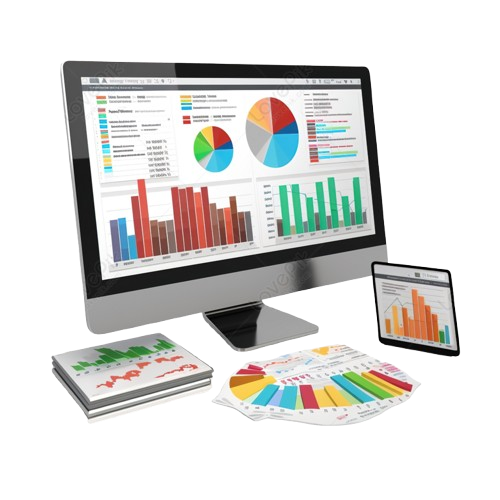
Dashboard View allows users to tailor their view for easy access to key metrics. Here’s how it works:
- Customization: Users can choose what information to display, such as revenue, traffic, or customer satisfaction. They can select chart types, layout arrangements, and other elements.
- Key Performance Indicators (KPIs): Dashboards highlight KPIs, which are essential for tracking performance in various areas. For example, monitoring sales, traffic, or operational efficiency helps guide business decisions.
- Visualization: Metrics are displayed in visual formats like charts, graphs, or tables, making it easier to analyze and act upon the data.