









GYM & HEALTH CLUB

FLEX Gym & Health Club Management System is designed to help health clubs manage their members and facilities. It can be used to track membership information, manage facility usage, generate reports, and more. The system is designed to be user-friendly and intuitive so that any health club can quickly begin using it to improve their operations. With the right POS system, a Gym & Health Club can better track its sales and inventory, allowing it to make smarter decisions and increase profits.

Product Information

  • Membership Plans: Clear breakdown of plans with prices, durations, and inclusions (e.g., access to specific areas, classes, personal training).
  • Fitness Classes: Detailed descriptions of programs offered, including schedules, durations, and fitness goals (e.g., yoga, HIIT, spinning).

Member Management

  • Membership Options: Provide flexible plans (monthly, quarterly, annual) with clear benefits, fees, and promotions.
  • Attendance Monitoring: Track member activity to identify and re-engage inactive members.
  • Personalized Plans: Offer tailored fitness and nutrition plans to support member goals.

Facility Usage Tracking

  • Data Collection: Use sensors, access control, cameras, or manual entry to gather facility usage data.
  • Space Monitoring: Track occupancy of offices, meeting rooms, workstations, and common areas.
  • Usage Patterns: Analyze data to identify trends and optimize space allocation.
  • Real-Time Insights: Implement tools to provide live updates on facility utilization.
  • Resource Allocation: Adjust staffing or maintenance schedules based on usage insights.
  • Reporting: Generate reports to inform planning and decision-making.

Create/Edit Bill

  • Personal Information: Include name, account number, and contact details.
  • Billing Period: Specify the time frame the charges apply to.
  • Charges Summary: Detail membership fees and additional costs.
  • Applicable Taxes: Add taxes based on local regulations.
  • Payment Due Date: Indicate the deadline to avoid late fees or interruptions.
  • Payment Methods: Provide available options for bill settlement.
  • Edit Features: Allow modifications to bill details for corrections or updates.

Split/Transfer Billing

  • Equal Split: Divide total costs equally among participants for shared expenses like dining or rentals.
  • Custom Allocation: Assign specific portions of the bill based on individual contributions or usage.
  • Transfer Billing: Shift billing responsibility from one person or account to another.
  • Communication with Provider: Inform the billing entity of split or transfer preferences.
  • Automation Tools: Use software or apps to simplify splitting or transferring bills.
  • Transaction Records: Ensure receipts reflect adjusted billing for transparency.

Multiple Settlement Options

  • Cash Settlement: Transactions are settled with cash or cash equivalents directly.
  • Net Settlement: Offsets mutual obligations; only the net difference is settled.
  • Installment Settlement: Allows payments in multiple smaller amounts over time.
  • Mixed Settlement: Combines different payment methods, like cash and credit.
  • Barter Settlement: Transactions settled by exchanging goods or services.
  • Digital Payment Options: Includes online transfers, e-wallets, and cryptocurrency.
  • Custom Agreements: Tailored settlement methods based on parties’ preferences.
  • Automated Systems: Use settlement software for efficient processing.

Cancel/Complimentary Option

  • Cancellation Options: Allow contract termination under specific conditions or timeframes.
  • Penalty-Free Cancellation: Enables cancellation without penalties in predefined scenarios.
  • Service Contracts: Common in subscriptions or real estate agreements for flexibility.
  • Complimentary Offers: Free services or products as promotions or loyalty rewards.
  • Promotional Benefits: Enhance customer satisfaction with free trials or add-ons.
  • Loyalty Incentives: Build trust through complimentary options for returning clients.
  • Defined Terms: Clearly outline conditions for cancellations or complimentary benefits.
  • Customer Retention: Offer perks to reduce cancellations and boost loyalty.

Cashiering and Shift

  • Cashiering Responsibilities: Handle payments, provide change, process card/digital payments, and issue receipts.
  • Transaction Accuracy: Ensure all financial exchanges are correct and secure.
  • Cash Register Management: Operate and maintain POS systems efficiently.
  • Sales Tallying: Regularly reconcile sales totals and register balances.
  • Security Measures: Prevent theft or errors through diligent cash handling.
  • Customer Service: Provide friendly and efficient service during transactions.
  • Shift Coordination: Oversee cashier shifts, ensuring smooth transitions.
  • End-of-Shift Duties: Finalize transactions, generate reports, and prepare cash deposits.

Day Closing

  • Review Sales Records: Verify receipts, invoices, and transaction logs for accuracy and completeness.
  • Identify Discrepancies: Address any errors or inconsistencies during the reconciliation process.
  • Close Cash Registers: Reset cash registers or POS systems for the next business day.
  • Secure Cash: Prepare cash for safe storage or bank deposit in secure bags.
  • Generate Reports: Create end-of-day reports summarizing sales, refunds, and other financial activities.
  • Ensure Compliance: Follow organizational policies and procedures for day-end processes.

Inventory (Purchase/Sales/Damage)

  • Inventory Acquisition: Procure goods from suppliers, manufacturers, or distributors to maintain stock levels.
  • Stock Management: Determine optimal order quantities and timing to avoid overstocking or shortages.
  • Sales Processing: Efficiently handle orders, pick products from inventory, and ensure timely delivery for customer satisfaction.
  • Damage Control: Track and manage damaged goods to minimize losses and update inventory records accurately.
  • Record Updates: Maintain accurate records of purchases, sales, and damaged items to ensure proper inventory tracking.

Loyalty and Rewards Program

  • Customer Retention: Incentivize repeat business by offering rewards for customer loyalty.
  • Incentives: Provide discounts, special offers, or points that can be redeemed for products or services.
  • Multiple Tiers: Implement tiered systems (e.g., silver, gold, platinum) offering escalating benefits for higher loyalty or spending.
  • Customer Engagement: Use the program to foster deeper relationships, encouraging more frequent interactions and purchases.
  • Tracking: Monitor and analyze customer behavior to optimize the program’s effectiveness.

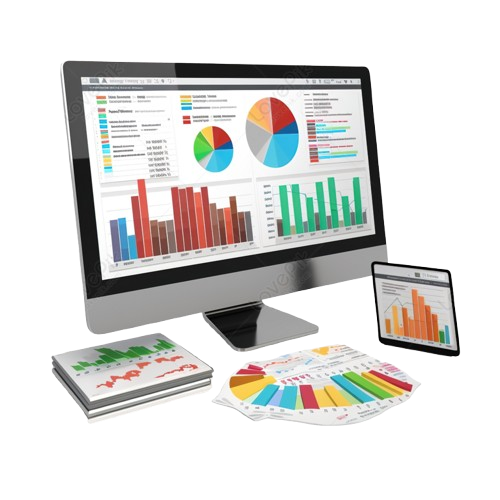
Reporting and Analytics

  • Data Summarization: Present past or current data in a structured and easy-to-understand format (e.g., tables, charts).
  • Purpose: Helps organizations track performance, monitor trends, and make informed decisions.
  • Regulatory Compliance: Ensure adherence to industry regulations by providing required reports.
  • Real-time Monitoring: Use dashboards for up-to-date insights and key metrics.
  • Actionable Insights: Convert data into insights to drive improvements in performance or strategy.

Integration with Accounting Systems

  • Eliminates Manual Data Entry: Reduces errors and saves time by automating data transfer.
  • Real-Time Data Transfer: Ensures financial records are always up-to-date and accurate.
  • API Integration: Modern accounting software often supports APIs, allowing seamless data exchange between systems.
  • Improves Efficiency: Automated synchronization reduces the need for manual reconciliation and ensures consistency across systems.
  • Increased Accuracy: Direct integration minimizes human errors in financial reporting and calculations.

Dashboard View

  • Membership Overview: Display the total number of members, new sign-ups, and cancellations.
  • Attendance Tracking: Show member attendance trends, peak hours, and frequency of visits.
  • Revenue Metrics: Display revenue generated from membership fees, classes, and merchandise.
  • Class Schedules & Bookings: Include upcoming fitness class schedules and the number of booked spots.
  • Goal Progress: Show member progress towards fitness goals, including weight loss or strength improvements.
  • Staff Availability: Include information on staff schedules, personal trainers, and availability.

Scale and grow your business with Flex Property Manager

our company page form

Our support staff are on standby to assist you upgrade your business to the next level.